
agAutoClicker
Download
Free for Android

Auto Clicker
for Android

Automate repeated taps with flexible intervals, multi-point clicking, and a simple floating control panel. Works with any app — no root required.

Download for AndroidView Guides
4.8 on Google Play100,000+ DownloadsFree Download
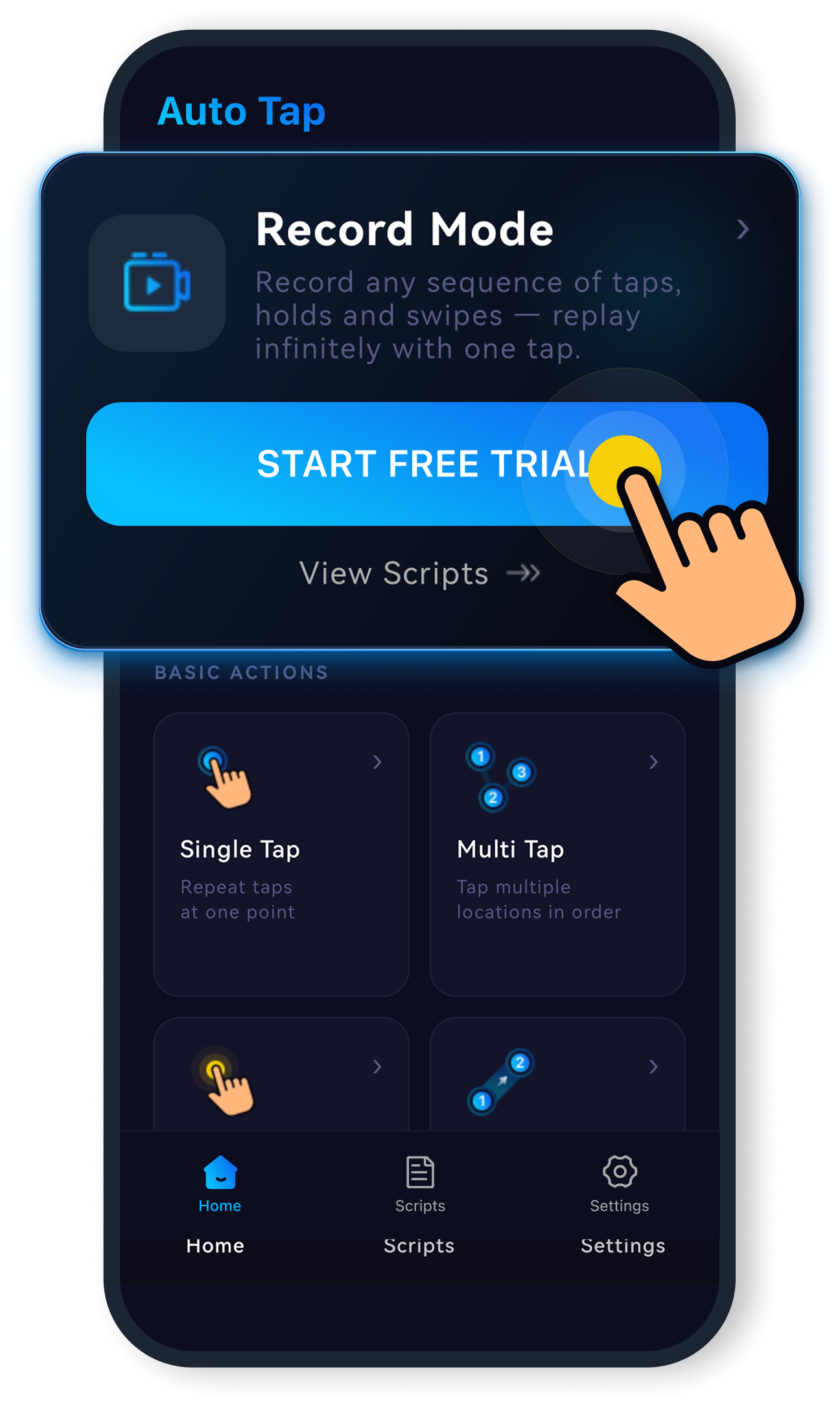
autoTap Android app screenshot
4.8 Rating on Google Play
100,000+ Downloads
Free Download & Free Trial
Android 7.0+
Features

Everything you need to automate taps

A focused set of tools for reliable, repeatable tapping — no clutter, no complexity.

Multi-point Tapping

Multi-point Tapping

Set up multiple tap targets on screen. autoTap cycles through all of them in order, every cycle.

Multi-point Tapping

Custom Tap Interval

Set the delay between taps from 1ms to 60,000ms. Precise timing for any workflow.

Multi-point Tapping

Floating Control Panel

A draggable button stays on top of any app — start or stop without leaving your screen.

Multi-point Tapping

Saved Configurations

Save tap point layouts and interval settings. Switch between named profiles in one tap.

Multi-point Tapping

Loop & Duration Settings

Run for a fixed tap count, a set time duration, or loop indefinitely until you stop.

Multi-point Tapping

Easy Start & Stop

One tap on the floating button starts or stops automation — no menus to navigate.

Use Cases

Built for real repetitive work

Designed for productivity and accessibility — not for bypassing platform rules.

Multi-point Tapping

Data Entry

Automate repetitive form submissions, field tapping, and data confirmation steps across business apps.

Multi-point Tapping

App Testing

Simulate hundreds of repeated interactions during QA, stress testing, and UI validation on Android.

Multi-point Tapping

Repetitive Tasks

From confirming routine dialogs to tapping "Next" hundreds of times — let autoTap handle it.

Multi-point Tapping

Accessibility Support

Helps users with motor difficulties by automating frequent tap sequences they find physically challenging.

How it works

Simple to set up, powerful when needed

01

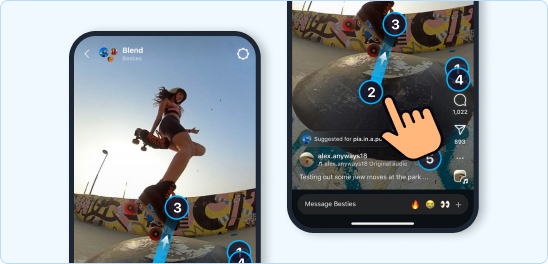
Place tap points anywhere on screen

Drag targets to any position. autoTap remembers exact coordinates and taps each one in sequence, every cycle.
Multi-point tap demo
02

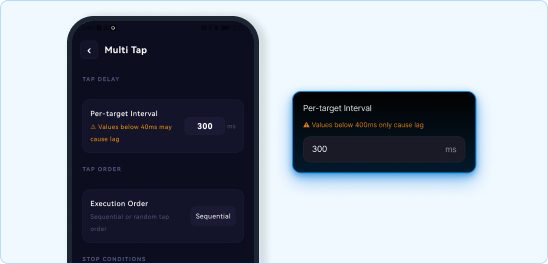
Set your interval to the millisecond

Type any delay from 1ms to 60,000ms. 500 taps a minute or 1 tap every 5 seconds — both work exactly as configured.
Multi-point tap demo
03

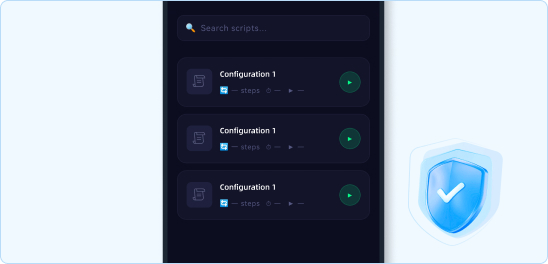
Save configurations for every workflow

Create named profiles for different apps or tasks. Switch between them instantly without reconfiguring anything.
Multi-point tap demo
04

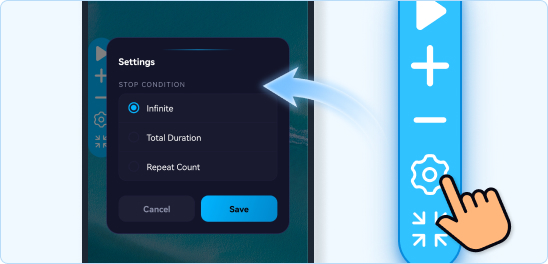
Run for exactly as long as you need

Set a tap count limit, a time duration in seconds, or leave it running in continuous loop mode — stops cleanly when done.
Multi-point tap demo
05

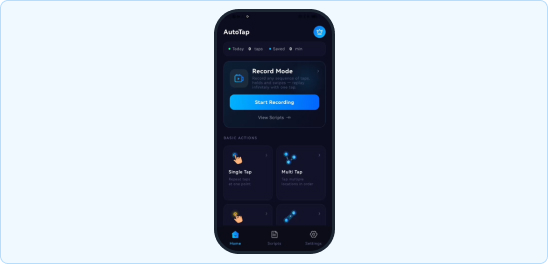
Multiple mode options

There are single-point, multi-point, sliding, long-pressing, as well as recording and free combination action modes, which can meet most of your needs.
Multi-point tap demo
FAQ

Common questions

An auto clicker automatically taps the screen at a location and interval you specify. Instead of manually tapping a button hundreds of times, you configure autoTap to do it — useful for data entry, app testing, repetitive workflows, and accessibility assistance.
autoTap does not collect personal data, does not access your accounts, and does not communicate with external servers during tapping. It uses Android's standard Accessibility Service API solely to perform taps you configure. As with any Accessibility app, review the permission request carefully before granting it.
autoTap works on Android 7.0 and above. Most modern Android phones and tablets are compatible. Some manufacturers (Huawei, Xiaomi, Samsung) have aggressive battery management that may stop background apps — our guide covers device-specific settings to keep autoTap running.
Android only allows apps to simulate screen taps through the Accessibility Service API — the same system that powers screen readers and motor-assistance tools. Without this permission, no app can automate taps. autoTap uses it solely for the tapping function you configure; it does not read app content or transmit data.
autoTap is currently Android-only. A PC version is planned — join the waiting list to be notified at launch. iOS does not allow third-party apps to automate screen taps at the system level, so a native iPhone auto clicker is not technically possible on unmodified devices.
Yes. autoTap is free to download and includes core features: multi-point tapping, custom intervals, the floating control panel, and saved configurations. A free trial of premium features is included; optional upgrades unlock additional profiles and advanced loop controls.