
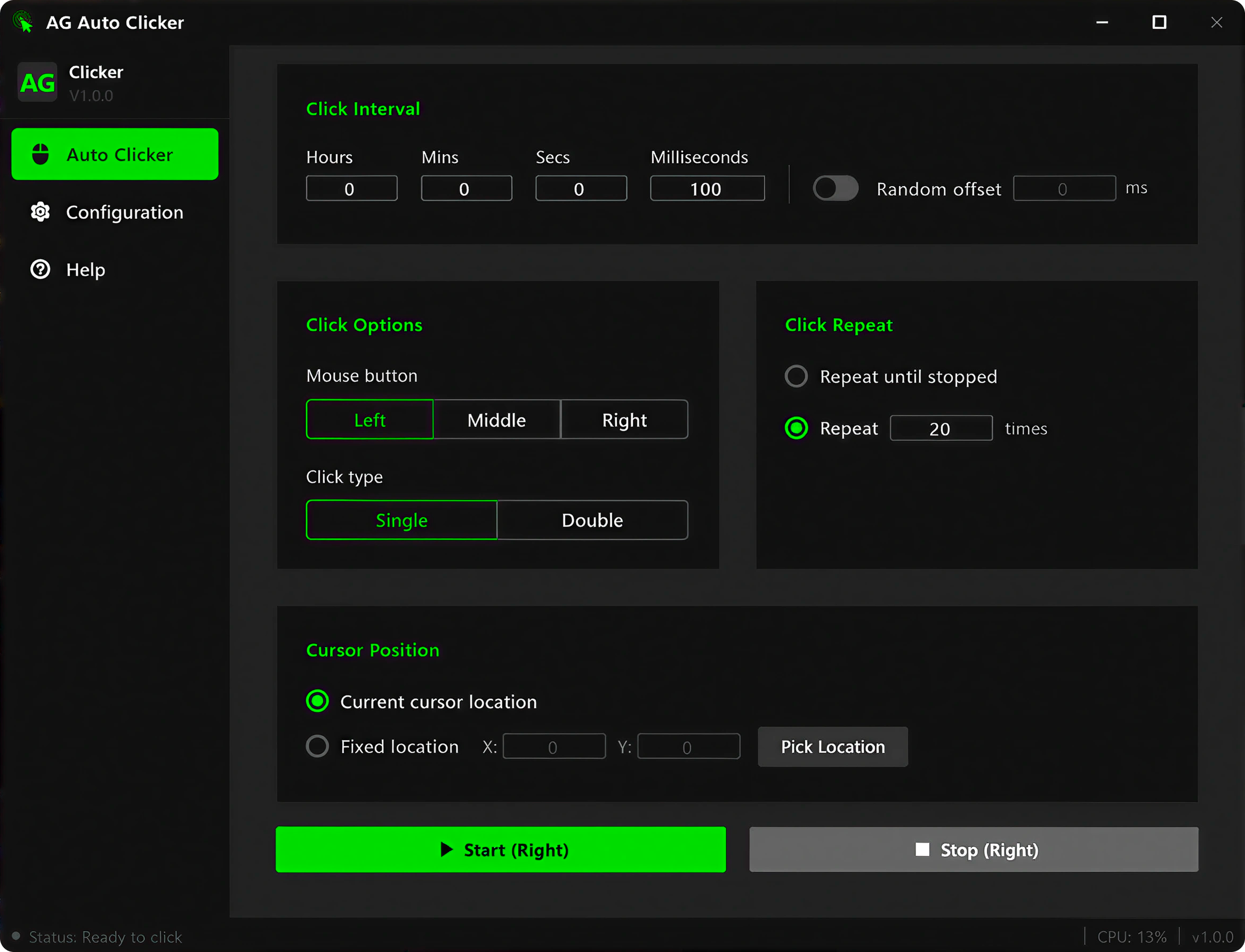
Built for reliable, repeatable clicking
A focused toolset that works quietly in the background — no clutter, no complexity.
Available Across Platforms
Our Mouse clicker is available for Android, Windows PC. Just select the right device and download it for free.
Precise Intervals + Random Offset
Set click intervals from 10 milliseconds to several hours. Enable Random Offset to add natural variation to each click — ideal for automation that needs to look human.
Fixed Coordinates or Follow Cursor
Click wherever your cursor lands, or lock to a specific screen position using the visual point picker. Fully supports multi-monitor setups with virtual-screen coordinates.
Built for every kind of user
From productivity tools to UI testing — autoTap adapts to any repetitive click workflow.
Repetitive Task Automation
Auto-trigger repeated actions in any software — forms, menus, buttons, and sequences — without touching the mouse.
App Testing
Simulate rapid, repeated user interactions for QA. Stress-test click interactions and UI events without repetitive manual input.
Data Entry
Automate form confirmations, repetitive field entries, and menu navigation. Eliminate the tedium from routine productivity tasks.
Accessibility Support
Help users with limited motor control interact reliably on Windows. Replace manual clicking with consistent, scheduled automation.
Up and running in minutes
Six steps from download to automation. No experience needed.
Download & Install
Download the .exe installer and run it. AG Auto Clicker opens immediately — no setup wizard, no extra runtimes required.
- Windows 10 / 11 · 64-bit
- Single-file installer
- No account or license needed
Set Click Interval
Set exact timing between clicks — from milliseconds to hours. Toggle Random Offset to add natural variation so automation doesn't look mechanical.
- Hours / minutes / seconds / milliseconds
- Random offset (±N ms) for human-like timing
- Default: 50 ms

Click Options & Repeat
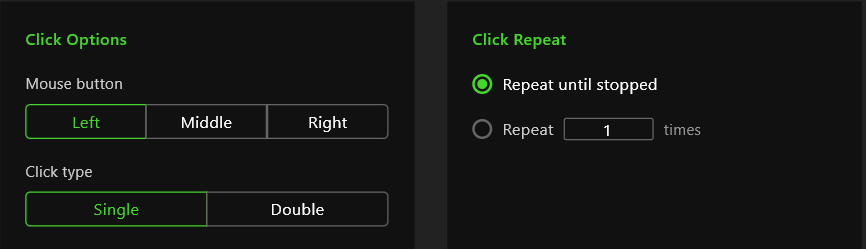
Choose left, middle, or right mouse button. Pick single or double click. Then set whether to repeat a fixed number of times or run until you say stop.
- Left / middle / right mouse button
- Single or double click
- Repeat N times or run continuously
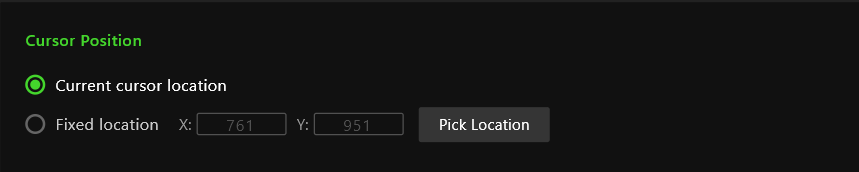
Pick Cursor Target
Follow your cursor anywhere on screen, or lock to a fixed XY coordinate. Click “Pick Position” to capture any spot — works across multiple monitors.
- Dynamic cursor tracking
- Fixed coordinate mode
- One-click position picker · multi-monitor support
Customize Settings
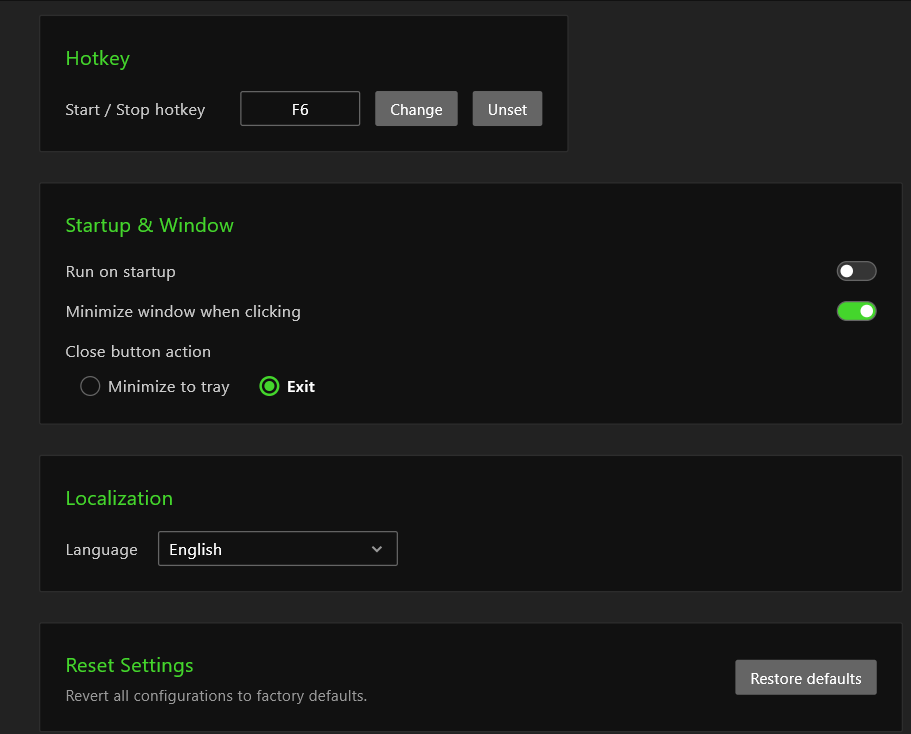
Change the default F6 hotkey to any key, enable auto-start with Windows, and choose whether closing the window minimizes to tray or exits. Switch the UI language anytime.
- Custom start / stop hotkey (default F6)
- Launch automatically with Windows
- Minimize to tray or exit on close · multi-language UI
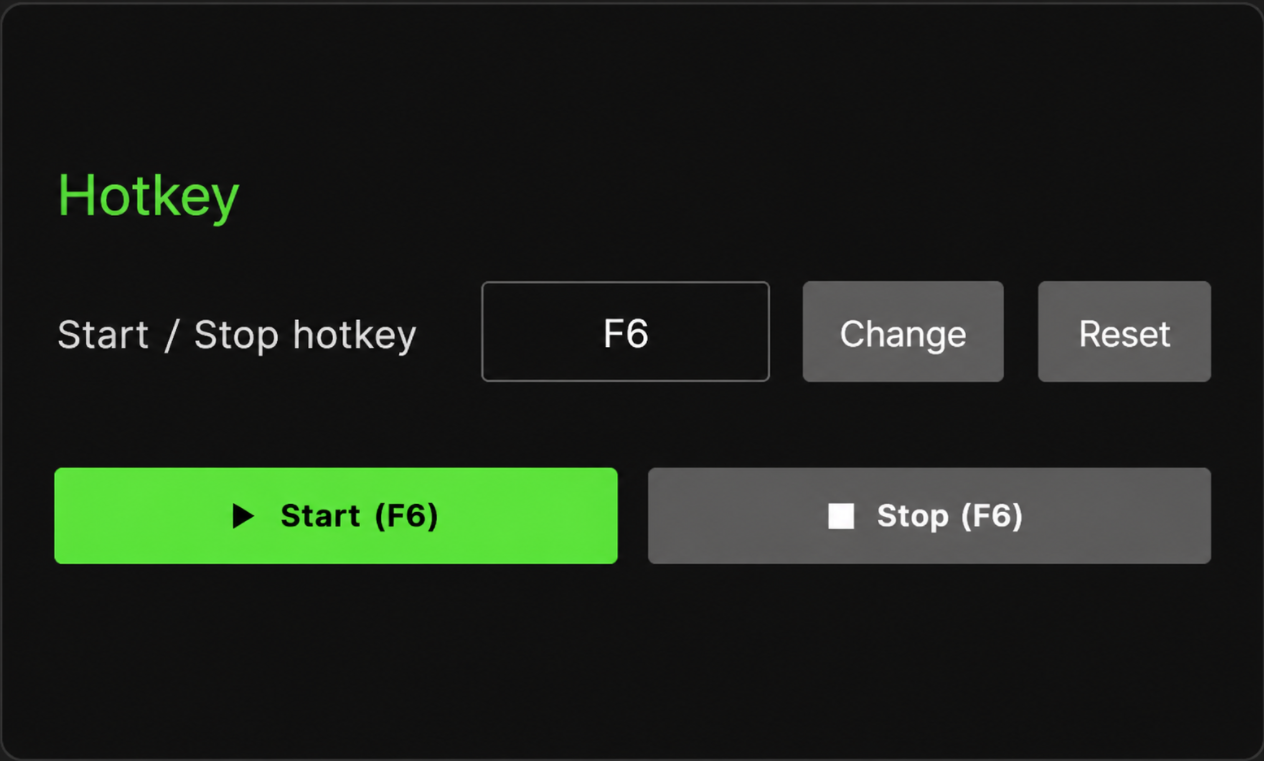
Ready — Hit Start or F6
Everything configured. Press the Start button or hit your hotkey from anywhere. AG Auto Clicker runs quietly in the background until you stop it.
- Green Start button or F6 hotkey
- Status bar shows live CPU usage
- Press F6 again or click Stop to end
Common Questions
Everything you need to know before you download.